


If you spend any time on fandom Twitter, Discord, or anime subreddits, you know one universal truth: nobody has just one OC.
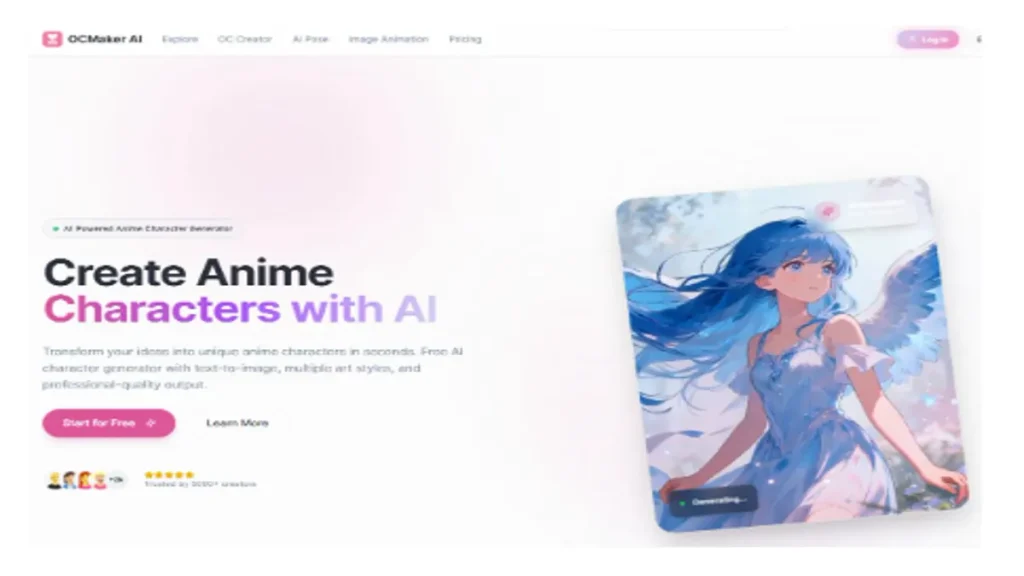
There’s the hero for your MHA-inspired class, the Sonic-style speedster with way too many forms, the broody mage who exists only in a notes app and three playlists. Ideas are never the problem. The bottleneck is getting from “I can picture them perfectly in my head” to “here’s a design I can show my friends, use in a campaign, or turn into a stream avatar.”OCMaker AI was built for exactly that gap. It’s a browser-based studio for people who live on headcanons, fanfic drafts, and character sheets. Instead of being a generic image toy, it’s aimed at something much more specific: keeping one OC (or ten) consistent across art, outfits, and little animated moments.
What Is OCMaker AI Trying to Solve?
Most of us use a mix of tools and favors to bring OCs to life:
- Rough sketches from friends
- Commissioned concept art when budget allows
- Random one-off generators that never quite match the same design twice
You might end up with five drawings of “the same” character that all look like cousins.
OCMaker tries to tidy that chaos up. The platform treats your OC as a repeatable design, not a one-time image. You build a look, adjust it until it feels right, and then reuse it in different poses, outfits, and scenes without starting from zero every time.
Here’s what that shift looks like:
| Goal | Old Way | With OCMaker AI |
| First visual of an OC | Sketches, moodboards, hoping for the best | Describe them, refine several versions |
| Keeping details consistent | Long back-and-forth with references | Save the look and reuse it |
| Testing outfits and variations | Separate commissions or redraws | Swap clothes, colors, and details fast |
| Getting animation-ready art | Hire an animator, wait weeks | Generate clip-ready frames in one place |
Exploring the Free OC Animation Maker
Once you have a design that finally feels like your character, the next step is obvious: you want them to move.
OCMaker includes a free OC animation maker that turns your static design into short animated clips. You start with your character art (either made in OCMaker or uploaded as a reference) and then pick simple motions and moods:
- Calm idle loops
- Talking or reacting shots
- Light action beats for teasers and edits
These aren’t meant to replace full studio productions. They’re quick, practical pieces you can plug into:
- Intro and outro stingers
- Reaction videos and meme posts
- Teasers for your webcomic, AU, or original story
- VTuber-style talking clips
For anyone who has ever thought “I wish my OC could just blink and talk on screen,” this is a very low barrier entry point.
Deep Dive: Anime Character Creator on OCMaker AI
The main workspace in OCMaker is the anime character creator on OCMaker AI. This is where your scribbled notes about “tired support mage with messy hair” turn into a consistent visual you can keep using.
Instead of forcing you into a rigid template, the editor lets you build up the design step by step.
1. Face, Hair, and Silhouette
You start with the things people notice first:
- Face shape, nose, eyes, and brows
- Hair style and color, from understated to “this person absolutely has lore”
- Accessories like headphones, piercings, chokers, glasses, or small magical elements
Because you can experiment freely, it’s easy to compare a couple of versions, keep what works, and discard what doesn’t before you commit to “canon” art.
2. Outfits and Roles
Most OCs don’t have a single default look. Maybe you want:
- A school or work outfit
- A battle or mission outfit
- A casual hoodie and sneakers
- An idol, performer, or formal version
OCMaker keeps the character’s identity the same while you switch clothes, color schemes, and details. That’s especially handy for:
- Character sheets with multiple outfits
- Alternate universe takes
- Seasonal images like festival outfits or winter coats
3. Expressions, Poses, and Personality
A character design only really clicks when you see how they react.
In the creator, you can:
- Set up different expressions: calm, annoyed, flustered, crying, smug, exhausted, and more
- Choose poses that match their attitude: confident, tense, relaxed, mid-action, or quietly awkward
- Frame shots for real-world use: bust-up for VTubers, full-body for reference pages, mid-shot for thumbnails
Once these pieces are in place, you’re not just collecting pretty portraits. You’re building a small library of usable art that feels like the same person in every image.
How OCMaker Fits Into Different Creative Workflows
People show up to OCMaker with very different skills. The platform doesn’t assume you’re already a professional artist or editor, but it doesn’t treat you like a passive spectator either.
For Artists
- Use generated designs as a faster way to explore silhouettes and palettes
- Block out outfits and expressions before moving to final linework and rendering
- Keep a consistent base look while still putting your own drawing style on top
It’s less about “skipping the art” and more about speeding up that messy, early concept stage.
For Non-Artists
- Finally give your OC a presentable look without needing years of drawing practice
- Keep the design consistent across avatars, headers, and profile pics
- Share clear visuals with collaborators, GMs, or writers instead of only text descriptions
If you’ve been sitting on a favorite OC because “I can’t draw,” this makes it much easier to show them off.
For Streamers and VTubers
- Test character ideas and color schemes before investing in a full Live2D or 3D model
- Create supporting cast visuals for lore videos and channel art
- Build short loops and reaction clips that actually match your persona’s design
It works nicely as a pre-production step before you commission rigged models.
Getting Better Results Without Losing the Soul of Your OC
Tools are helpful, but your character still needs your input to feel like yours. A few habits make a big difference:
- Describe personality, not just colors.
Instead of only listing “blue hair, red eyes, black jacket,” add who they are: tired honor student, reckless speedster, overprotective older sibling, etc. The more specific the description, the more the design reflects a real character. - Use inspiration, not copy-paste.
It’s fine to say “streetwear that wouldn’t look out of place in a cyberpunk city” or “outfit inspired by idol uniforms,” but avoid trying to clone a famous character. Small twists make your OC feel unique. - Nudge things in small steps.
Lock down face and general build first. Then tune accessories, clothing details, or scars. You’ll keep the design coherent instead of starting over every time. - Think about where the art will live.
If your character is mostly for streaming, focus on bust-up shots and clear facial expressions. If you’re building a comic or visual novel, pay more attention to full-body poses and readable outfits.
Why OCMaker AI Works So Well for Fandom Culture
Plenty of tools can spit out a random anime-style portrait. OCMaker AI feels different because it’s built around how fans actually create:
- OCs come with backstories, playlists, and in-jokes, not just colors and haircuts.
- Characters need to reappear in multiple scenes and formats, not just a single “gacha pull” image.
- People want to share their worlds—on Discord, in campaigns, on YouTube or TikTok—without waiting months for every new drawing.
If you’ve been sitting on a cast of characters that only live in docs and daydreams, OCMaker AI gives you a practical way to bring them onto the screen: consistent designs, reusable art, and small animated moments that finally put your OC where they belong—out in the open, where everyone else can meet them too.