


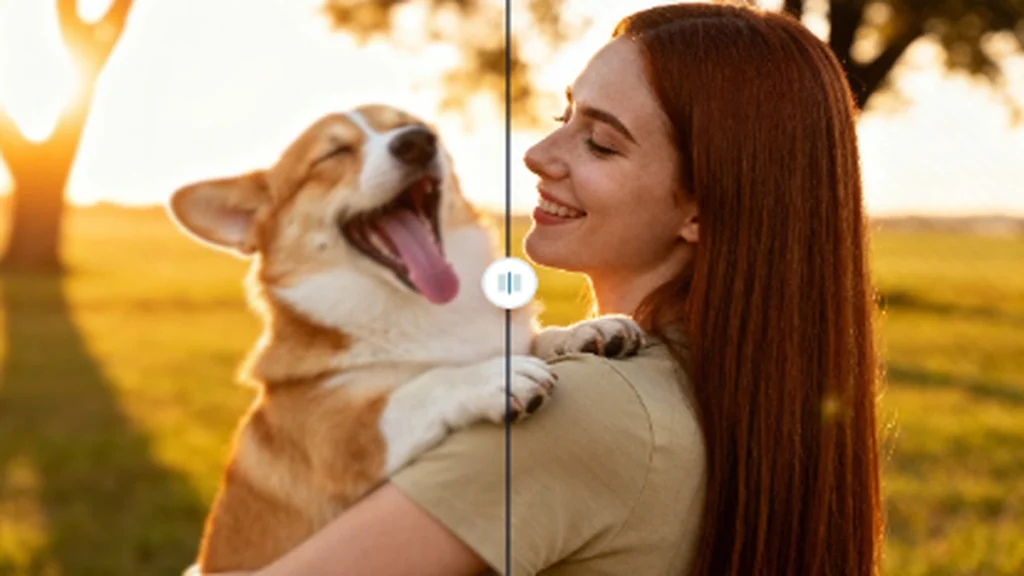
Got a photo that’s almost perfect but just too small or blurry? It’s a common frustration. You have a great shot, but it becomes a pixelated mess when you try to enlarge it. In the past, fixing this meant accepting a loss in quality. Today, things are completely different. AI has transformed image enhancement, making it possible for anyone to create stunning, high-resolution visuals without needing technical skills.
This guide will show you a powerful two-step method for 2026. First, we’ll cover how to enlarge your photos intelligently, and then we’ll explore how to polish them to perfection. You’ll learn how to rescue old family pictures, prepare images for professional printing, or simply make your social media feed look incredible. The key is using the right tools designed for specific tasks.
Why High-Quality Images Matter More Than Ever
In a world saturated with content, visual quality is what separates the memorable from the mediocre. Whether you’re running a business, building a personal brand, or just sharing memories, crisp, clear images command attention and build trust.
Low-resolution photos can make a website look unprofessional, a product seem untrustworthy, or a social media post get ignored. Our brains are hardwired to appreciate detail and clarity. A sharp image feels more real, engaging, and valuable. This is why investing in image quality isn’t a luxury; it’s a fundamental part of effective communication today.
The Modern Workflow: Upscale First, Then Polish
To get the best results, it’s smart to tackle image enhancement in two distinct stages. Trying to do everything at once with a single, all-purpose tool often leads to compromise.
1. Upscaling: This is the foundation. The primary goal is to increase the pixel dimensions of your image without introducing blurriness or strange artifacts. A specialized tool uses AI trained on millions of images to predict what the missing details should look like, effectively recreating the photo at a larger size.
2. Polishing: Once your image has the resolution it needs, you can move on to creative and corrective edits. This includes removing unwanted objects, adjusting colors, swapping backgrounds, or applying artistic filters.
This separation of tasks ensures that each step is handled by a tool optimized for that specific job, leading to a much cleaner and more professional final product.
Step 1: Enlarge Photos with a Premier AI Image Upscaler
The first and most critical step is increasing your image’s resolution. Old methods of resizing simply stretched the existing pixels, which is why images became blurry. Modern AI, however, is much smarter. It analyzes the content of your photo and intelligently adds new pixels that look natural and sharp. This process, known as super-resolution, feels like magic but is grounded in advanced machine learning. An exceptional AI Image Upscaler is the perfect tool for this, built specifically to handle the complexities of adding detail where none existed before. It turns low-quality source files into assets you can actually use.
How an AI Upscaler Transforms Your Images
Think of AI upscaling as digital restoration. The software has studied countless high-quality photos to understand textures, edges, and patterns. When you upload your small image, it uses this knowledge to fill in the gaps with remarkable accuracy.
Here’s what a great upscaler can do for you:
* Increase Resolution for Printing: Turn a small digital photo into a large, print-ready file for posters, canvases, or flyers without losing clarity.
* Revive Old Photos: Scan an old, small family photograph and upscale it to reveal details you’ve never seen before.
* Enhance E-commerce Photos: Take a standard product shot and enlarge it so customers can zoom in on the fine details, boosting confidence and sales.
* Improve Social Media Content: Make sure the images you pull from videos or other sources look sharp and professional on high-definition screens.
The process is typically straightforward. You upload your image, choose how much you want to enlarge it (like 2x, 4x, or even 8x), and let the AI handle the rest. In moments, you can download a new version of your photo that is bigger, clearer, and ready for the next step.
Step 2: Perfect Your Picture with a Powerful AI Photo Editor
With your newly upscaled, high-resolution image in hand, it’s time for the finishing touches. This is where you fix imperfections and make creative adjustments to ensure your photo truly shines. A dedicated AI Photo Editor provides a suite of tools that simplifies complex edits into a few clicks. You no longer need to spend hours learning complicated software to achieve professional results. Instead, you can focus on the creative vision for your image.
Essential Polishing Features to Look For
An effective AI editor should offer more than just basic filters. It should provide intelligent tools that understand the content of your photo.
Here are some key features that make a world of difference:
* One-Click Object Removal: See a distracting person, a stray power line, or an ugly trash can in your otherwise perfect shot? AI can identify and remove these objects, seamlessly filling in the background as if they were never there.
* Intelligent Background Tools: Effortlessly remove the existing background and replace it with a solid color, a scenic landscape, or a transparent canvas. This is ideal for creating clean product shots or fun portraits.
* Automated Color and Lighting Correction: Many photos can be improved with better lighting and color balance. AI can analyze your image and suggest optimal adjustments for brightness, contrast, and saturation, giving it a vibrant and professional look.
* Creative Adjustments: Beyond corrections, a good editor gives you creative freedom. This might include adding text, applying artistic styles, or making other enhancements that align with your vision.
Using an AI photo editor as the second step ensures you are working with a high-quality file from the start. The sharpness and detail you gained from upscaling are preserved, allowing you to make precise, clean edits that look fantastic.
Common Use Cases for AI Image Enhancement
This two-step workflow isn’t just for professional photographers. It has practical applications across many different fields and personal projects.
For E-commerce Businesses
First impressions are everything online. Customers want to see crystal-clear product photos that they can zoom in on. You can use an AI upscaler to ensure all your images meet the size requirements for marketplace listings like Amazon or Shopify. Afterward, use an AI photo editor to remove the background, creating a clean, consistent look across your entire store.
For Digital Marketers and Content Creators
Engaging ad creatives and social media posts rely on eye-catching visuals. Sometimes, the best image you have is a screenshot or a lower-quality stock photo. You can upscale it to look sharp on all devices and then use an editor to add text overlays, remove distracting elements, or adjust the colors to match your brand identity.
For Photographers and Designers
Even professionals end up with files that are smaller than they need. An old photo from a previous-generation camera might not be large enough for a big print. AI upscaling can save the shot. From there, the editor can help with fine-tuning, such as removing minor blemishes or perfecting the composition.
For Personal Use
Have a cherished family photo that’s decades old and tiny? Scan it, upscale it to a modern resolution, and then use an editor to correct color fading or remove dust and scratches. It’s a wonderful way to preserve precious memories and create beautiful prints for your home or as gifts.
What to Look for in an AI Image Tool
As AI tools become more common, it’s important to know what separates the best from the rest.
* Ease of Use: The entire point of these tools is to simplify complex tasks. Look for a clean, intuitive interface that doesn’t require a lengthy tutorial to understand.
* Quality of Results: Test the tools with a few different images. A good upscaler will add detail without creating a plastic or artificial look. A good editor will make seamless corrections that are unnoticeable.
* Processing Speed: You shouldn’t have to wait long. Modern AI tools should deliver results in seconds or minutes, not hours.
* Privacy: Always check the tool’s privacy policy. Ensure that your images are not being stored indefinitely or used for purposes you don’t agree with. Reputable services are clear about how they handle your data.
Final Thoughts
The days of being stuck with small, blurry, or imperfect images are over. By adopting a simple yet powerful workflow of upscaling first and then polishing, you can produce incredible visuals for any purpose. Starting with a specialized AI upscaler gives you the high-resolution foundation you need, and following up with a versatile AI photo editor allows you to perfect every last detail.
This approach saves time, eliminates technical barriers, and puts the power of professional-grade image enhancement directly in your hands. Give it a try and see how easy it is to transform your photos from good to absolutely stunning.